

Supported Development Tools
DevNullifier can clean cache, temp files, and build artifacts from these development environments and tools:

 Unity

 Unreal
 .NET
 C++
 Rust
 Kotlin
 Xcode
 Laravel

 Symfony
 ML/AI
 Gatsby
 Jest
 VS Code
Features
AppData & Dev Cleaner
Scan application data and project caches, plus known tool caches at home. Group AppData by app, nest monorepo projects, and add your own keywords or categories.
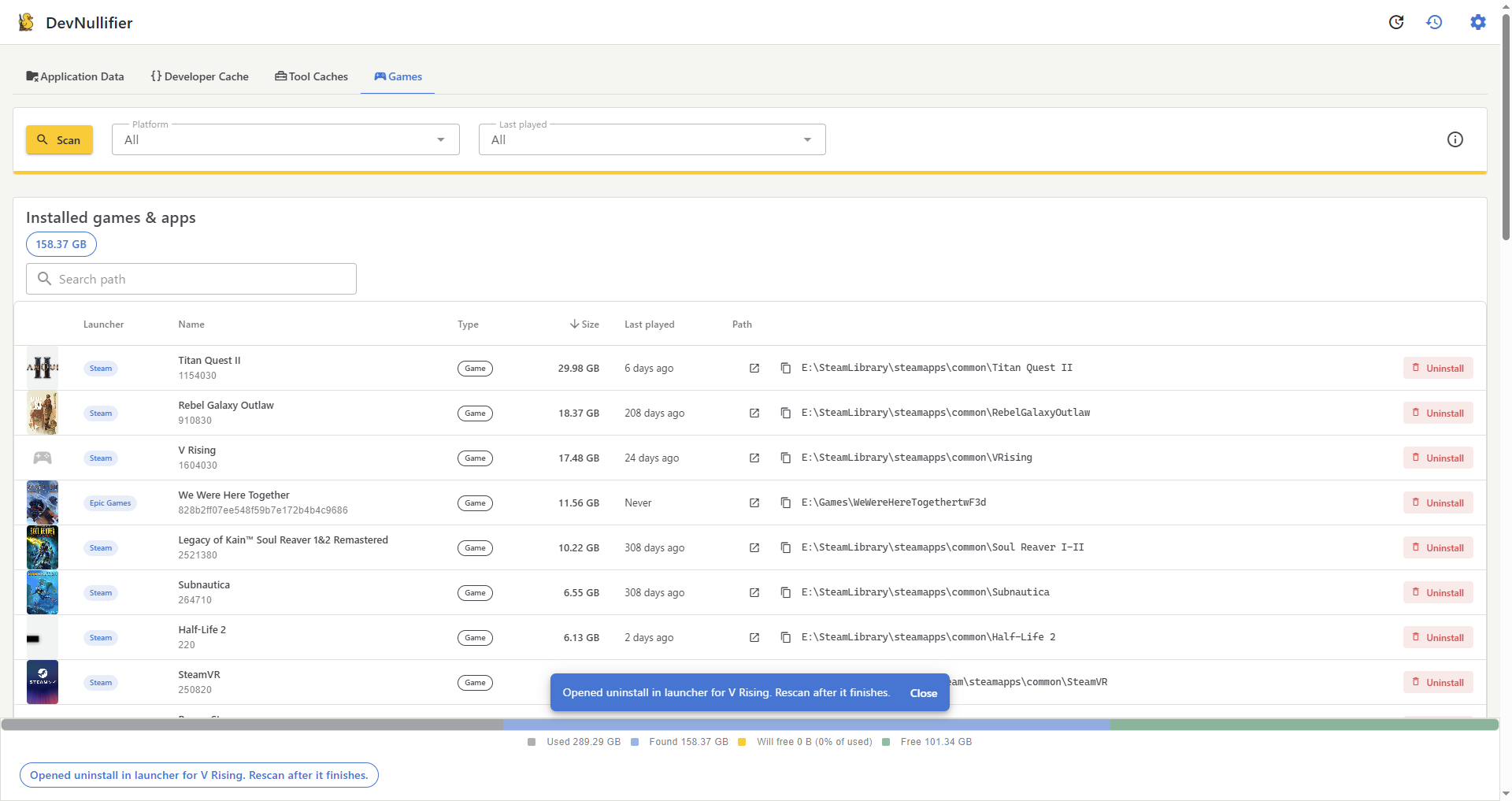
Steam & Epic Games
See installed games and apps from Steam and the Epic Games Store — size, last played, covers — and start uninstall from the launcher when you want them gone.
Disk Overview
See used space, what the scan found, how much is selected to free, and remaining free space — with human-readable sizes on every row.
Selective & Recoverable
Pick rows with checkboxes. Deletes go to the trash by default; permanent delete is optional. Protected paths and exclusion masks stay out of the delete list.
One Settings Screen
Language, theme, update channel, age/size thresholds, protected folders, exclusions, and permanent delete live in one place. Search and filter results by path or category.
Multi-Platform Support
Works on Windows, Linux, and macOS. Cleans platform-specific cache and temp directories. On Windows, you can relaunch elevated after an outside-profile access denial.
History & Recovery
Compare a scan with the previous one, keep a deletion log you can export as CSV, and retry failed deletes — including which process locks a path on Windows.
Screenshots